
Themed sessions: what they are and how to create one
Themed sessions
Over time, hosts have invented themes that change the session a little to make it more useful. In a Do Not Disturb session, for example, the host reminds everyone to put their phone away and close email before starting. That small nudge helps more than you'd think.
How to create a themed session
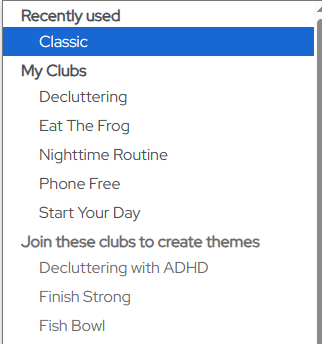
Themes are tied to Clubs. To create, say, a Start Your Day session, first join the Start Your Day Club from the Clubs page. Once you're in the Club, the theme appears in the Theme dropdown when you create a session.
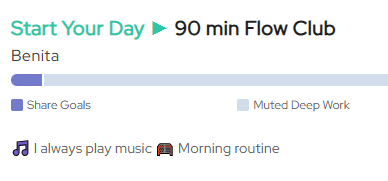
Once created, this is what it'll look like on the schedule.
Note: Not all Clubs have their own themes.
Participation in themes are optional
Not everyone's day lines up with "start your day" or "eat the frog" at that exact moment. Invite people to join in, and don't make anyone feel bad for working on something else or not fully participating.